Reso
Made
1. This screen allows you to create a new return service rate , associated with a specific warehouse. The defined rate will apply to product return operations.
Click on Add Warehouse Service tariff 
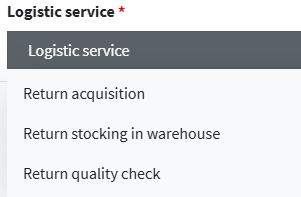
2. The Logistics Service field is mandatory and identifies the specific stage of the returns process to which the fee applies. The selection determines the type of logistics operation that will be charged in the system.
- Return Acquisition: Select this option when the fee involves the physical receipt of the returned product by the customer or courier. Example : Recording the incoming return.
- Return placement in warehouse: Use this option to apply the fee to the placement phase of the returned product within the warehouse. Example : temporary or permanent storage of the return.
- Return Quality Inspection: Select this option when the fee is related to verifying the condition of the returned product.
Examples : visual inspection, functional testing, classification for reuse or disposal.
3. The Pricing Model field defines the logic used to calculate the fee for the selected logistics service. The model selection directly affects how the system applies costs to warehouse or shipping operations:
- By weight : calculation based on the total weight of the goods.
- By volume : calculation based on the volume (m³) of the goods.
- Per arrival : rate applied in the event of arrival of the goods.
- By SKU master data : specific rate for each product code.
- For the first product unit managed : rate applied only to the first unit managed.
- Per product unit : rate for each physical unit managed.
- For the first load units : rate applied to the first load units (e.g. first pallets).

4. In the Price field , enter the cost for the selected service.

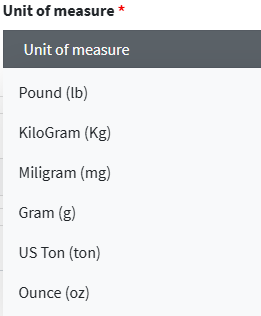
5. In the Unit of measurement drop-down menu, choose the desired unit of measurement.
6. Category rule defines the product categories to which the tariff applies.
7. Charging period specifies the time period for which the tariff is valid.
8. Load unit size constraints indicates any physical constraints for the load unit (example: Europallet)

9. The Description field is used to provide further details or clarifications on the service offered.

10. Click on Save all & Close